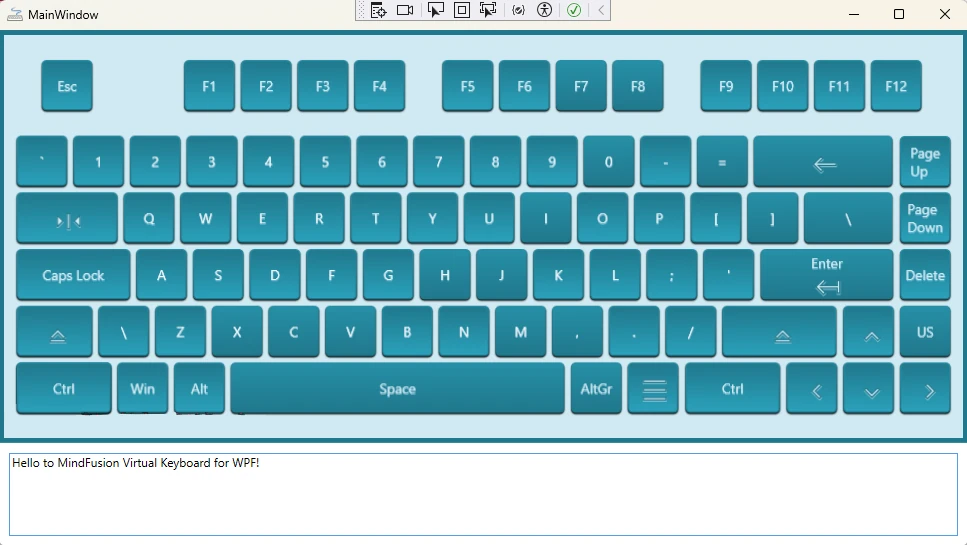
Creating a custom user interface often requires tailoring components to fit your application’s specific design language. In this guide, we’ll walk you through how to build and style a WPF virtual keyboard from the ground up, using the powerful MindFusion’s WPF Virtual Keyboard component. The result will be a beautiful, resizable keyboard with custom icons, animations, and a clean, maintainable structure.
Tag Archives: programming
Building a Fishbone Diagram from Scratch in JavaScript
The Fishbone or Ishikawa diagram is a powerful tool for cause-and-effect analysis. While users can build them manually using a diagram editor, it’s often more efficient to generate them programmatically from a predefined data set. This article walks through the process of creating a complete fishbone diagram from scratch using JavaScript and the MindFusion.Diagramming API.
List View Timelines in Scheduling for WinForms
In this blog post we will build a simple scheduler with several timelines. We are using MindFusion Scheduling library for WinForms and Visual Studio with .NET6.0
I. Project Setup and General Settings
We create a new empty WinForms project in Visual Studio. We choose .NET6.0. Then we open the Form Editor. From the Visual Studio top menu bar we click “Project -> Manage NuGet Packages…”. In the Browse tab we search for “MindFusion.Scheduling”. You can install either the Scheduling package or the whole MindFusion.Pack.Winforms, if you plan to use more MindFusion controls.


