buy now
log in
MindFusion LLS company logo
Powerful diagram capabilities for your cross-platform Avalonia app
Download Beta   NuGet
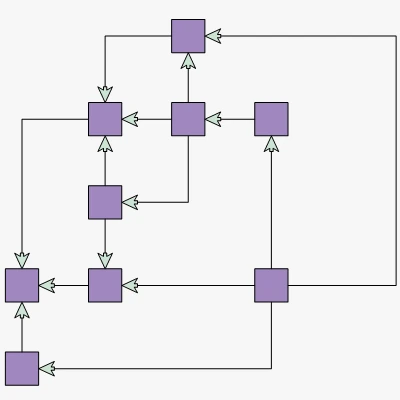
A complex workflow diagram created with the Diagram component for Avalonia UI

Build Responsive and beautiful Diagram Applications for Avalonia UI

From complex structural diagrams to network schemas or visualization of complex processes - MindFusion's Diagram library for Avalonia UI has all the features you need ready at your disposal

Data visualization, done right

Featuring an extensive collection of shapes, connectors, layout algorithms, and styling options, MindFusion's Avalonia Diagram supports complex and highly customizable visual representations of your data.
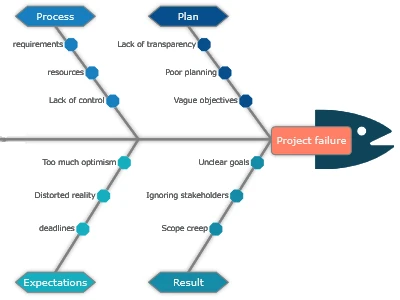
A fishbone diagram illustrating the causes of an event created with MindFusion Avalonia Diagram.

Ishikawa / Fishbone

Build cause-and-effect diagrams that provide a structured approach to root-cause analysis, helping teams systematically explore and understand complex issues.
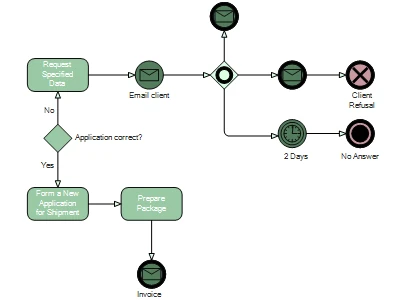
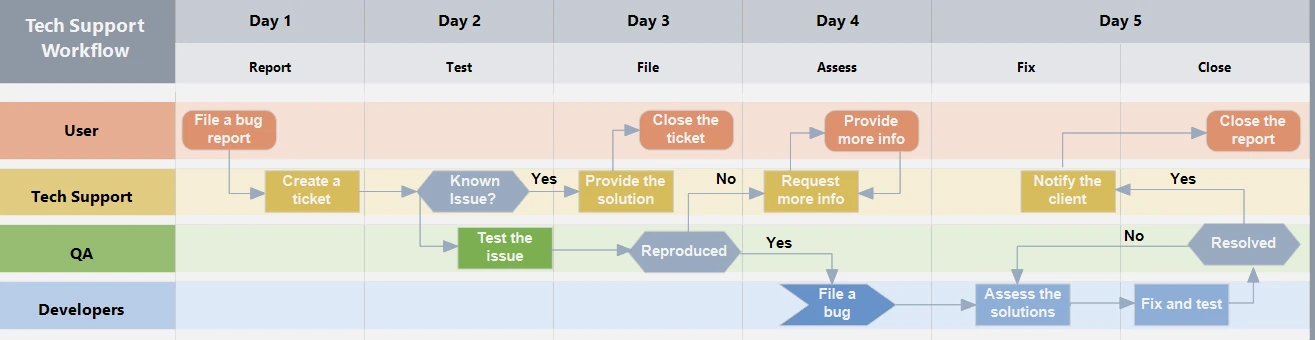
A BPMN process dagram built with the Avalonia UI Diagram component.

BPMN Diagrams and Process Modeling

Provide a clear visual representation of complex workflows, improving understanding, communication, and process design.
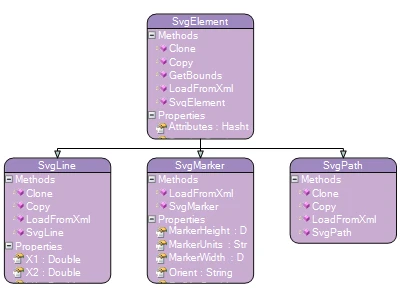
A class hierarchy built with the diagram library for Avalonia

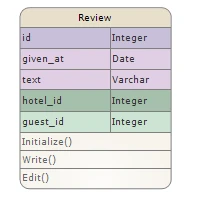
Class Hierarchies and DB Design

Design complex database architectures with precise Entity-Relationship (ER) diagrams. Easily map out entities, attributes, and relationships for robust data models.

Diagram Nodes

The rich collection of node types allows you to build any kind of diagram, from simple flowcharts to complex visual models.

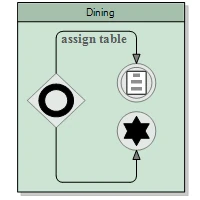
  • 100+ predefined node shapes: standard and BPMN 2.0
  • Table nodes with spanning cells.
  • Container nodes that can hold arbitrary number and type of nodes.
  • SVG and image nodes.
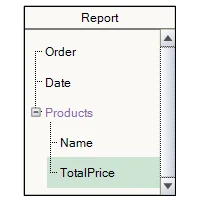
  • TreeView nodes.
  • Composite nodes with custom templates.
Learn More
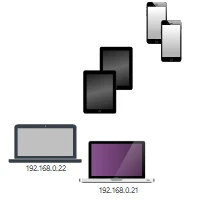
Standard diagram nodes in the flowchart library for Avalonia UI A table node created with MindFusion Avalonia diagram component A container node rendered by the DIagram library for Avalonia UI CVG Nodes created with MindFusion's flowchart component for Avalonia UI A TreeView node part of the ndoes supported by the diagram control for Avalonia Composite nodes created by MindFusion Avalonia diagram component

Every Feature You'll Ever Need

From different export and import options, to visual effects and dynamic link positioning
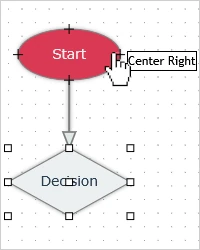
A mouse pointer showing a tooltip over a node in MindFusion diagram library for Avalonia UI

Rich User Interaction

Various interaction modes, panning and zoom, grid alignment and much more.
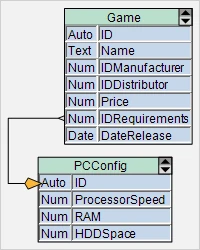
Table nodes styled in sky blue and green, created with the diagram component for Avalonia UI

Fully Customizable Appearance

Images and text for nodes, customizable fonts and colours, swimlane grid and other.
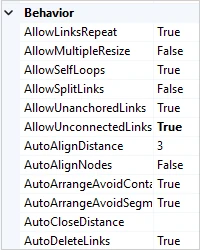
An image of the property grid for a diagram created with the diagram library for Avalonia UI

Multiple Behavior Options

The options include lock of items, read-only mode, in-place item edit, dynamic link positioning.
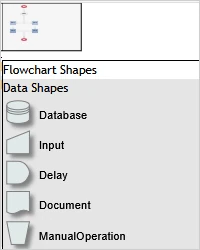
An image of the overview and NodeListView controls, which are part of MindFusion Avalonia diagram library

Various Auxiliary Controls

Among the controls are Overview, Ruler, Palette and NodeListView, Zoom control.
Automatic Layout Algorithms

A flowchart arranged with the Anneal layout algorithm, which is part of of MindFusion's diagram control for Avalonia UI

Force-directed

  • Annealing Layout
  • Circular Layout
  • Clustered Layout
  • Grid Layout
  • Spring Layout
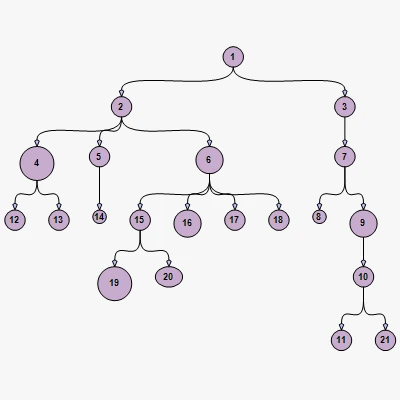
A graph arranged with the Tree layout algorithm, which is part of MindFusion diagram library for Avalonia UI

Structural

  • Tree Layout
  • Big Radial Layout
  • Layered Layout
A flowchart created with MindFusion Diagram component for Avalonia UI and arranged with the Orthogonal graph layout

Topological

  • Orthogonal Layout
  • Topological Layout
  • One-way Layout
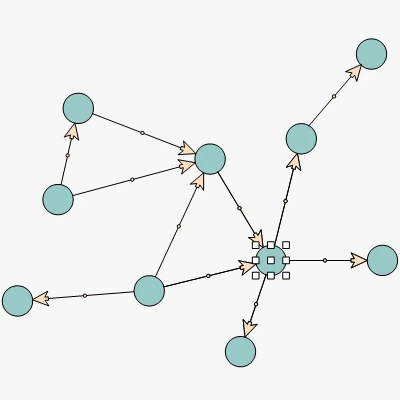
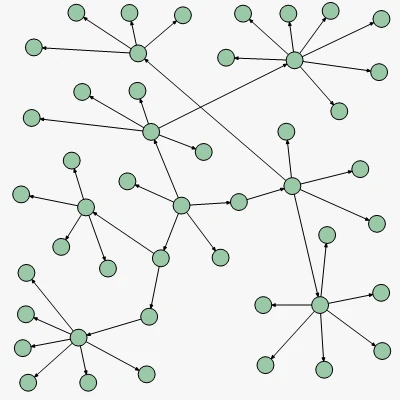
An image of a graph built with the Avalonia diagram component.

Graph Management

  • Graph operations: children, parents, incoming, outgoing, successors
  • Pathfinding

Why MindFusion Dagram for Avalonia?

The windows logo together with the logos of Apple and Linux
An illustration of gears that symbolizes the various features of the avalonia diagram library
An open laptop with a rocket going out of it to symbolize the high performance of the avalonia diagram component.
An image of a document with the XAML text on top of it.
An illustration of a developer sitting before a laptop.

MindFusion.Pack of Diagramming Controls

Copyright © 2001-2026 MindFusion LLC. All rights reserved.
License Agreement - Terms of Use - Contact Us