



Visualizes the visual tree structure of an arbitrary DependencyObject in a TreeView control and allows navigation through the tree.
Namespace: MindFusion.UI.Wpf
Assembly: MindFusion.UI.Wpf
 Syntax
C#
 Copy Code Copy Code
|
|---|
public class VisualTreeView : Control |
| Visual Basic
Copy Code
|
|---|
Public Class VisualTreeView |
RemarksThe VisualTreeView is used to display the visual structure of an arbitrary DependencyObject in a more presentable manner - as a TreeView. Each element in the visual hierarchy is presented as a TreeViewItem, the visual children of an element are presented as TreeViewItem children and so on. Selecting an item in the TreeView optionally displays an overlay border on top of the corresponding visual element. In order to enable this functionality you have to supply a Grid or Canvas panel containing (or positioned over) the selected object to the CommonParent property.
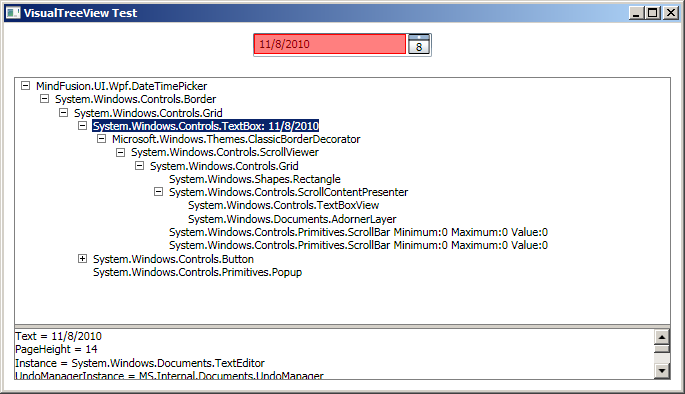
ExampleThe following XAML example demonstrates how to use of the VisualTreeView to inspect a DateTimePicker object.
| XAML
Copy Code
|
|---|
<Window x:Class="WpfApplication.Window1" |
Selecting an item in the VisualTreeView will place a red overlay on top of the corresponding visual element.
Inheritance HierarchySystem.Object
System.Windows.Threading.DispatcherObject
System.Windows.DependencyObject
System.Windows.Media.Visual
System.Windows.UIElement
System.Windows.FrameworkElement
System.Windows.Controls.Control
MindFusion.UI.Wpf.VisualTreeView
See Also