https://mindfusion.eu/_beta/netdiagram_v3.zipThis preview version shows the new ImageMap mode features in NetDiagram 3:
* Overview control *
Displays a small-scale overview image of the diagram, and allows scrolling the actual diagram view by dragging a tracking rectangle. To use it in ImageMap mode, add an Overview instance from the MindFusion.Diagramming.WebForms.dll assembly, and connect to it an OverviewExtender from MindFusion.Extenders.dll to implement client-side interaction.
* ShapeListBox control *
Displays a list of shapes, and allows creating new nodes in the diagram by drag-and-drop. To use it in ImageMap mode, add a ShapeListBox instance from the MindFusion.Diagramming.WebForms.dll assembly, and connect to it a ShapeListboxExtender from MindFusion.Extenders.dll to implement client-side interaction.
* Clipboard support *
Set DiagramView.EnableClipboard = true, and users will be able to copy, cut and paste items via the Ctrl+C, Ctrl+X and Ctrl+V shortcuts. Copied items are serialized in the viewstate and can be pasted after a postback.
* Delete items using the Del key *
Pressing Del deletes either the active item, or all selected items, as set through the DelKeyAction property. The default is None - pressing Del does not delete items.
* Support for custom item types *
Set DiagramView.Behavior = Custom, and the objects created after users draw on the client side will be instances of the classes specified via the CustomNodeType or CustomLinkType properties.
* Client-side Diagram DOM in ImageMap mode *
Now you can do some change to the properties of diagram items on the client side, using the API defined in these JS files:
https://mindfusion.eu/_beta/js_dom.zipWhen posting back, changed items are sent via JSON to the server where the server side DOM is updated accordingly.
* OrthogonalLayout layout algorithm *
It creates layouts similar to this one:
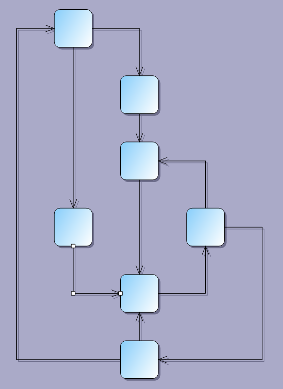
Note that the OrthogonalLayout class from previous NetDiagram versions is now called OrthogonalRouter.
* CircularLayout layout algorithm *
It creates layouts similar to this one:

We hope you'll like the new features. Any suggestions and feedback for further improvements are welcome.
We are going to upload an updated .jar file for the version 3 JavaApplet mode next week.
Stoyan


 Pages: [1]
 NetDiagram v3 preview (Read 12424 times)


