



Represents a control that can display Workbook objects.
Namespace: MindFusion.Spreadsheet.Wpf
Assembly: MindFusion.Spreadsheet.Wpf
 Syntax
C#
 Copy Code Copy Code
|
|---|
public class WorkbookView : Control |
| Visual Basic
Copy Code
|
|---|
Public Class WorkbookView |
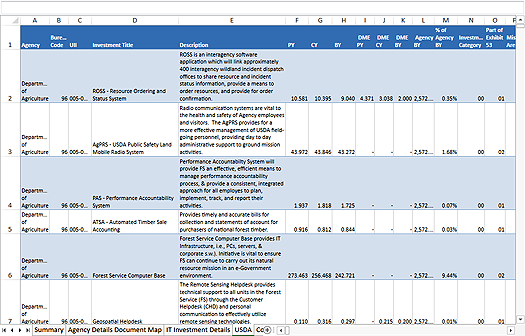
RemarksThe WorkbookView control can display Workbook objects in an environment similar to that of Microsoft Excel. The following image illustrates a WorkbookView instance.
The workbook to display in the view is specified through the Workbook property. The currently active worksheet can be get or set through the ActiveWorksheet property. The active cell inside the worksheet is available through the ActiveCell property. The Selection property provides access to a Selection object, which can be used to get or set the selected cells and objects in the active worksheet.
The view provides many events that can help track, validate and respond to user actions inside the view, including WorksheetAdded, ActiveCellChanged, SelectionChanged, ObjectClicked, and so on.
Inheritance HierarchySystem.Object
System.Windows.Threading.DispatcherObject
System.Windows.DependencyObject
System.Windows.Media.Visual
System.Windows.UIElement
System.Windows.FrameworkElement
System.Windows.Controls.Control
MindFusion.Spreadsheet.Wpf.WorkbookView
See Also