


TypeScript and Code Completion

A d.ts declaration file is available for every package. For more information on declaration files see https://www.typescriptlang.org/docs/handbook/2/type-declarations.html#dts-files.
The library provides code completion and hints through d.ts declaration files, supported by most popular IDEs. In order to enable the feature, you need to add a commented reference to the TypeScript *.d.ts files that are included in the library distribution. The most commonly used API members are in the diagramming file, but we advise that you add references to the auxiliary files as well:
JavaScript
 Copy Code Copy Code
|
|---|
/// <reference path="Scripts/diagramming.d.ts" /> |
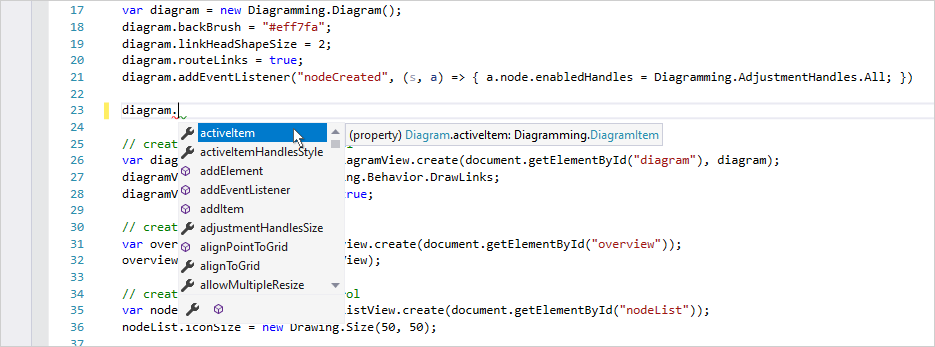
Once the references are loaded, you should be able to see code suggestions for the applicable members together with their type. All members should be visible: methods, properties, classes etc.
The distribution also includes JsDiagram-vsdoc.js file providing IntelliSense documentation in VSDoc format. If your programming environment supports it, you could add a reference to that file instead of d.ts ones:
| JavaScript
Copy Code
|
|---|
/// <reference path="Scripts/JsDiagram-vsdoc.js" /> |